

Free evidence board · No sign-up
See how everything connects.
AnacapaChart is a free online evidence board. Pin photos, notes, videos and links, join them with string, and select anything to light up its direct connections.
Free. No sign-up. Works on desktop, tablet and phone.
Try it: hover or tap any card. Only its direct links light up.
Pin everything you find
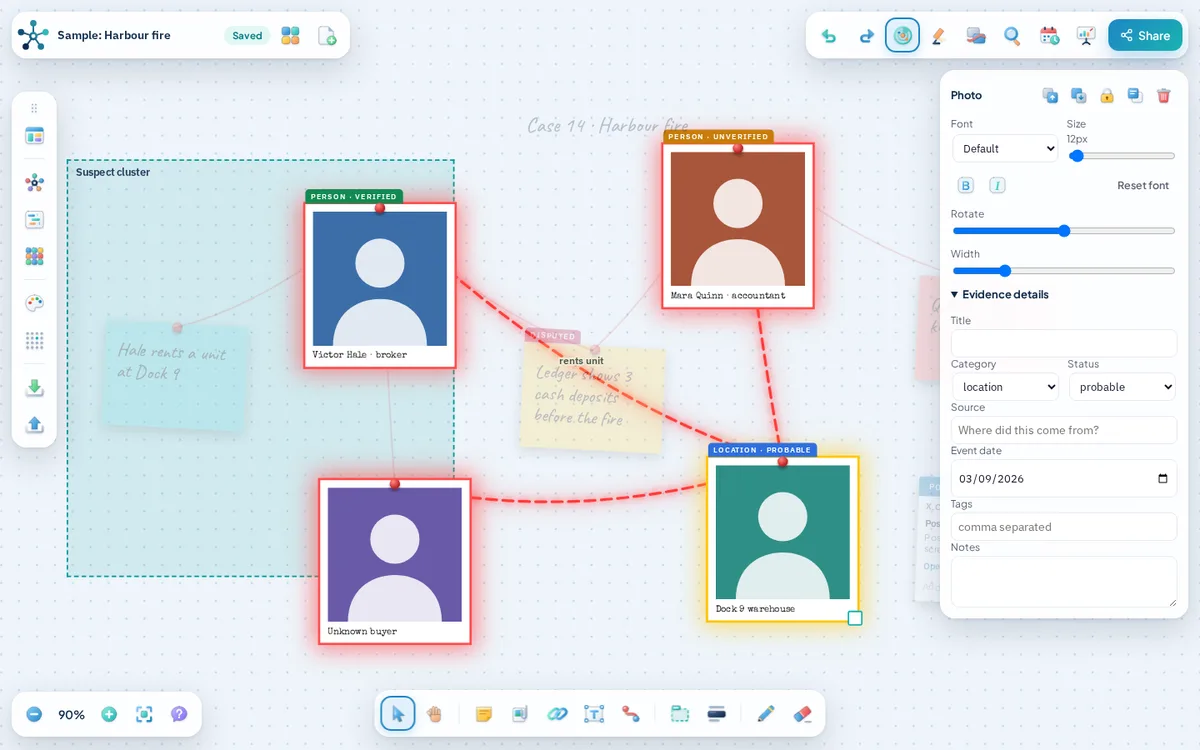
Photos, notes and documents each land on the board as a card you can move, rotate and resize.
Bring in video, posts, maps and files
Paste a YouTube link, a social post, an article or coordinates, or attach a PDF. Each becomes a live card with its source and date.
Connect what belongs together
Draw a string between two cards, label it, and mark it suspected when you are not sure.
See direct links light up
Point at any card and only its direct connections glow. The noise fades away and the story stands out.
Find how two things connect
Pick any two cards and AnacapaChart traces the shortest chain of links between them.
Mark what you can prove
Give every card a category, status, source and date. Files get a SHA-256 fingerprint so you can show they have not changed.
Put events in order
Arrange the board by date or open the timeline panel to read your case as a story.
Studio mode and seven lights
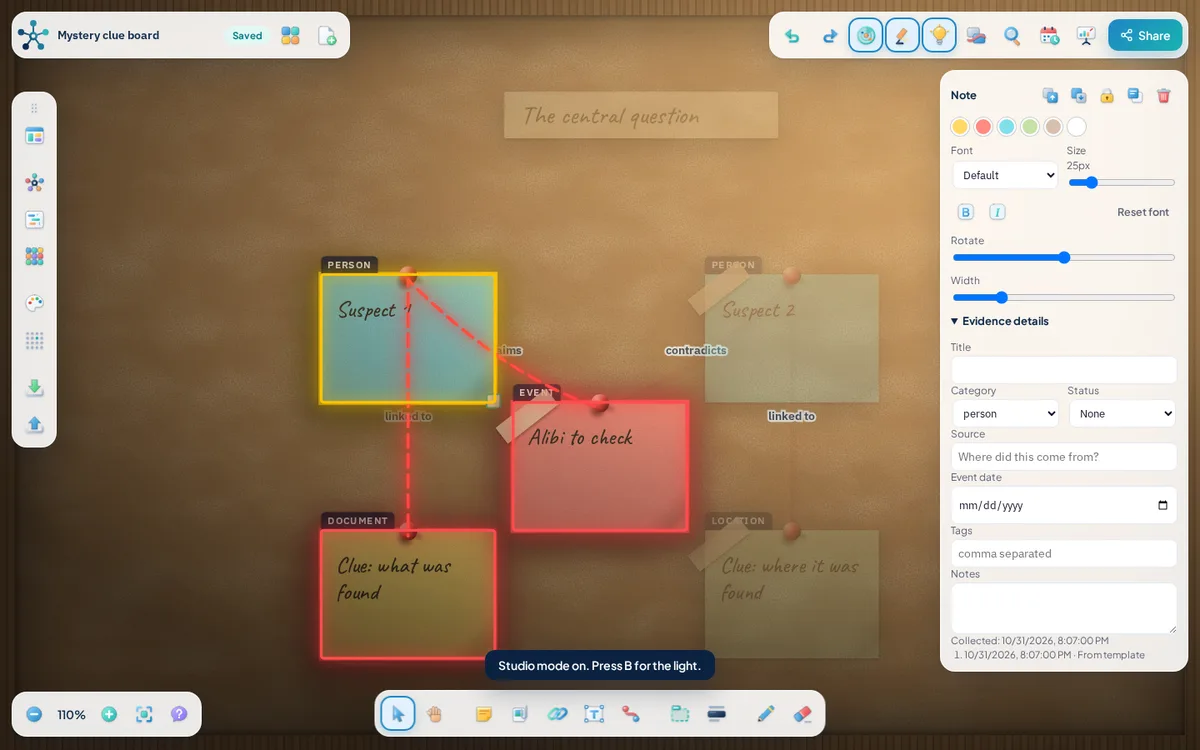
Switch to a realistic cork board and choose the light. Now showing: Warm.
Publish it anywhere
Create a snapshot link or paste the embed code into your blog. Readers can explore the board but cannot change it.
Tools
Everything an investigation board needs
Pick the way you want to work. Every tool opens the same board.
Evidence board maker
AnacapaChart is a free evidence board that runs in your browser.
Open toolDetective board maker
Pin photos to a wall, scribble notes in the margins and join the clues with red string, the way detectives do on screen.
Open toolLink chart maker
A link chart shows how entities such as people, organisations, accounts, places and events are connected.
Open toolRelationship map maker
Use AnacapaChart as a relationship mapping tool.
Open toolTimeline maker
Put events in order and keep them connected to the people and evidence behind them.
Open toolTemplates
These starter boards load straight into AnacapaChart, where every card, label and link is editable.
Open toolFeatures
Built for how investigations really work
Evidence comes in many forms now. The board handles all of them.
Glowing connections
Select a card and only its direct links light up. Select two and trace the shortest path between them.
Studio mode
A realistic cork board with pinned prints, paper notes and a focused light in seven colours.
Videos, posts and maps
Paste a YouTube link, a social post, an article or coordinates and it becomes a card with its publisher and date.
Evidence details
Category, status, source, date and tags on every card, plus a SHA-256 fingerprint for files you attach.
Timeline and templates
See events in order, arrange the board by date, or start from one of five ready-made boards.
Share and embed
Create a snapshot link or paste the embed code into your blog so readers can explore the board.
See it in action
A board that explains itself
How it works
Pin it. String it. Trace it.
Three actions cover most investigations, from a research project to a mystery novel.
Pin evidence
Photos, notes, videos, posts, maps and PDFs, each with a category, status, source and date.
Connect with string
Join two cards, label the link and mark it suspected if you are unsure. Group cards in frames.
Trace direct links
Select a card and only its direct connections glow. The story becomes clear to whoever reads it next.
Who it is for
Made for people who follow leads
Your boards, your choice
Boards autosave in your browser. Export an image, a board file or a printable case report, or share a link.
Read the guidesQuestions
Is AnacapaChart free?
Yes. The board is free to use and needs no account. We show ads on our guides and home page, never inside the board.
Do I need an account?
No. Open the board and start pinning.
Where are my boards stored?
Boards autosave in your browser on this device and stay there until you clear your site data, so export a board file when a board matters. A share link uploads a copy of the board to our storage, so do not share anything sensitive that way.
Can I add video, posts and maps?
Yes. Paste a YouTube or Vimeo link, a social post, an article or map coordinates, or attach video, audio and PDF files from your device.
Which browsers work?
Current versions of Chrome, Edge, Firefox and Safari on desktop, tablet and phone.

Start your first board
Free, with no sign-up. Pin three items and watch the connections appear.
Open the board